


Across the Pioneer Valley, most professional services firms run on trust long before anyone types a query into Google. An attorney in Springfield, an accountant in Shelburne Falls, a therapist in Amherst or Greenfield, clients usually arrive through referrals, repeat work, and quiet recommendations. The website often shows up as the last check: “Is this the right kind of help for me, in the right place, right now?”
We design WordPress SEO for Pioneer Valley professional services with that reality in mind. The goal of WordPress SEO for Pioneer Valley professional services isn’t to chase every keyword, it’s to make it easy for the right people to find you, understand what you do, and feel comfortable reaching out, whether they started with a search or with a name a friend gave them.
 WordPress SEO basics for professional services
For Pioneer Valley professional services firms, a surprising amount of WordPress SEO comes down to one basic question: does your site clearly explain what you actually do? A lot of professional sites answer with a logo, a tagline, and a single “Services” page that tries to cover everything. That’s hard on visitors and vague for search engines.
WordPress gives Pioneer Valley professional services firms room to do better. Instead of one catch‑all services page, you can have separate pages for the work that actually fills your calendar: estate planning, family law, business formation, contract review, tax preparation, bookkeeping, therapy specialties, consulting offers. Each service page gets its own URL, its own heading, and enough copy to feel like a real explanation, not a bullet on a list.
Titles and meta descriptions are the next layer in WordPress SEO for Pioneer Valley professional services. When someone in Springfield or Amherst scans search results, they’re looking for language that sounds like what they just typed: “Estate Planning Attorney in Springfield,” “Small‑Business Accounting and Tax Support in the Pioneer Valley,” “Therapist for Adults in Amherst and Northampton.” That kind of phrasing helps both the person and the algorithm quickly match problem to page.
Inside each page, heading structure does quiet work. A single H1 that matches the main topic, followed by H2s and H3s that break things into sections, who you help, what’s included, what to expect, how to start, makes the page easier to scan and easier for search engines to interpret. When we’re building or revising WordPress sites for Pioneer Valley professional services firms, we treat this structure as a skeleton: once it’s right, everything else is simpler to adjust over time.
Technical SEO on WordPress: keeping the site healthy
Underneath the content, there’s the question of how your site behaves. For a professional practice, technical SEO isn’t about chasing tiny gains; it’s about making sure nothing behind the scenes is quietly holding you back.
In plain terms, that means pages that load fast enough on real phones and home internet, layouts that adapt cleanly on smaller screens, links and forms that work, and content that search engines can actually crawl and index. Technical issues don’t always show up to the naked eye, but they show up in how often your pages appear and how many people stick around.
On WordPress, a technical checkup usually starts with a few key questions. Is the theme lean, or carrying more design features than you’ll ever use? Are plugins doing specific jobs, or overlapping each other and adding weight? Are there pages that ended up no‑indexed by mistake, duplicate URLs created by old settings, or redirects chained together from past changes?
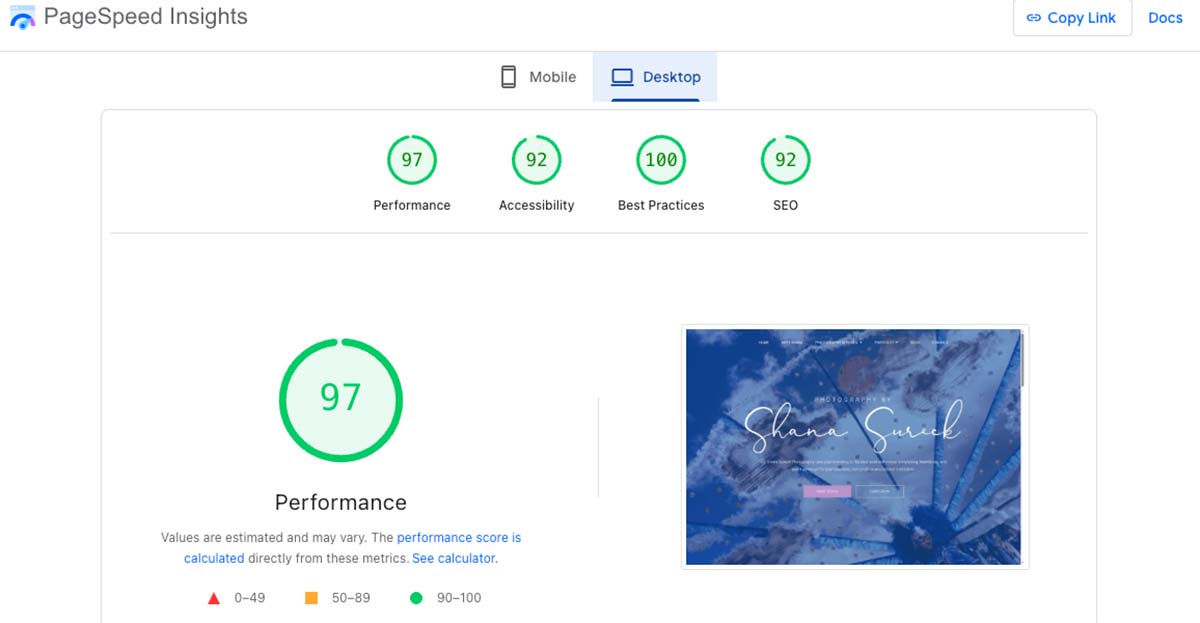 When we audit a professional‑services website, we look for those patterns first. Site speed and Core Web Vitals on real devices, mobile friendliness, indexability, internal linking gaps, and any technical errors that might discourage search engines from trusting the site. The fixes are rarely glamorous, tidying up plugins, simplifying templates, tightening redirects, connecting orphaned pages, but they matter. A healthy WordPress site gives your content and reputation a fair chance to show up.
 Local SEO on WordPress across the Valley
Professional work may be conceptual, but it still happens somewhere. For firms in Springfield, Amherst, Greenfield, Shelburne Falls, Deerfield, and the surrounding towns, local SEO is about making that “somewhere” obvious.
On the site itself, that starts with simple clarity. If your law office is based in Springfield and regularly sees clients from neighboring communities, say so. If your accounting work is concentrated in a cluster of hilltowns, name them. If your therapy practice draws from campus communities in Amherst and nearby towns, reflect that in your copy. Vague phrases like “serving Western Massachusetts” rarely match how people search.
Off‑site, the essentials are consistent: an accurate Google Business Profile, consistent name‑address‑phone details in major directories, sensible categories, and a review profile that grows slowly and steadily instead of in a single burst. That work gives you more chances to appear in maps and local packs.
WordPress then becomes the place where all of that attention lands. When someone taps a result, they should arrive on a page that lines up with their intent: a specific practice‑area page, an office‑location page, or a clear explanation of a service that fits their situation. Short, locally grounded pieces, “What to bring to your first estate planning meeting in Springfield,” “How quarterly taxes work for small businesses in the Pioneer Valley,” “What a first therapy session in Amherst looks like”, help both humans and search engines connect you to specific kinds of searches.
When we’re planning local SEO for a firm, we look at where clients actually come from now and which towns or neighborhoods you want more of. The site’s structure, wording, and internal links get shaped around that reality.
 Content that feels like a real conversation
Search engines talk about experience, expertise, authority, and trust. People don’t use that vocabulary, but they feel it. They’re trying to decide whether you understand situations like theirs and whether they’d be comfortable working with you.
The content that helps most is usually simple and specific. The questions you answer in consultations all the time are often the best starting points: “Do I really need a will if I own a house in Greenfield?” “What happens if I miss a quarterly tax payment?” “How confidential is a first therapy session?” Those can become short FAQs, brief articles, or sections on your practice‑area pages.
Bio pages matter just as much. A list of schools and degrees isn’t enough on its own. Visitors want to see practice focus, licensure or bar information, professional associations, maybe a few lines about your approach and the kinds of clients you tend to be a good fit for. On WordPress, those bios can be structured in a way that’s easy to update as your work evolves.
Some firms like to stay actively involved here. In those cases, we think of it as DIY SEO within a framework: we set up clear places for new questions, updates, and short posts, and your team adds to them as issues come up in real life. When content needs to be reorganized or visibility starts to stall, that’s usually the cue to pair DIY work with a more formal SEO audit.
 Making it easy to move from reading to reaching out
Under all the strategy, there’s a simple test: when someone in the Valley lands on your site, is it easy to get from “I think this might be the right firm” to actually contacting you?
Here, WordPress is less about features and more about choices. Navigation can mirror the way clients think instead of the way your org chart works. Practice areas grouped logically. Paths from general pages to specific ones. Internal links that act like gentle signposts, if you’re reading about forming an LLC, you naturally see a link to tax planning; if you’re reading about one type of therapy, you can see how scheduling and insurance work without hunting.
Contact options don’t have to be aggressive. A short form at the end of a practice‑area page, a phone number that’s easy to tap on mobile, a note about response times and what happens after someone reaches out, these small details are often what tip a visitor from thinking about getting help to actually taking a step.
Accessibility sits in the same bucket of “quietly important.” Clear headings, readable contrast, keyboard‑friendly navigation, and well‑labeled forms make the site easier for everyone to use, including people relying on screen readers or other assistive technology. When we’re building or revisiting a WordPress site for a professional firm, we treat this as part of the baseline, not an add‑on.
In the end, WordPress SEO for professional services in the Pioneer Valley isn’t about tricks. It’s about alignment, between what your firm actually does, where you do it, who you help, and how your site shows all of that to both people and search engines.
For your own firm, does it feel like the bigger opportunity is showing up more often for new local searches, or giving the people who already find you a clearer, more confident path to say yes?
